Case study 06 / 19
NR PTW Online Permit-to-Work Platform
Digital permit-to-work lifecycle for an LNG regasification operator: drafts, HSE validation, area-owner approval, issuance, suspension, renewal and closure, with every transition an explicit idempotent command and an official print package rendered from an immutable snapshot.
- Stack
- .NET 10 · ASP.NET Core · EF Core · SQL Server · Angular 22 · Transactional Outbox · PDFsharp · xUnit · Testcontainers · Docker · Nginx
The problem
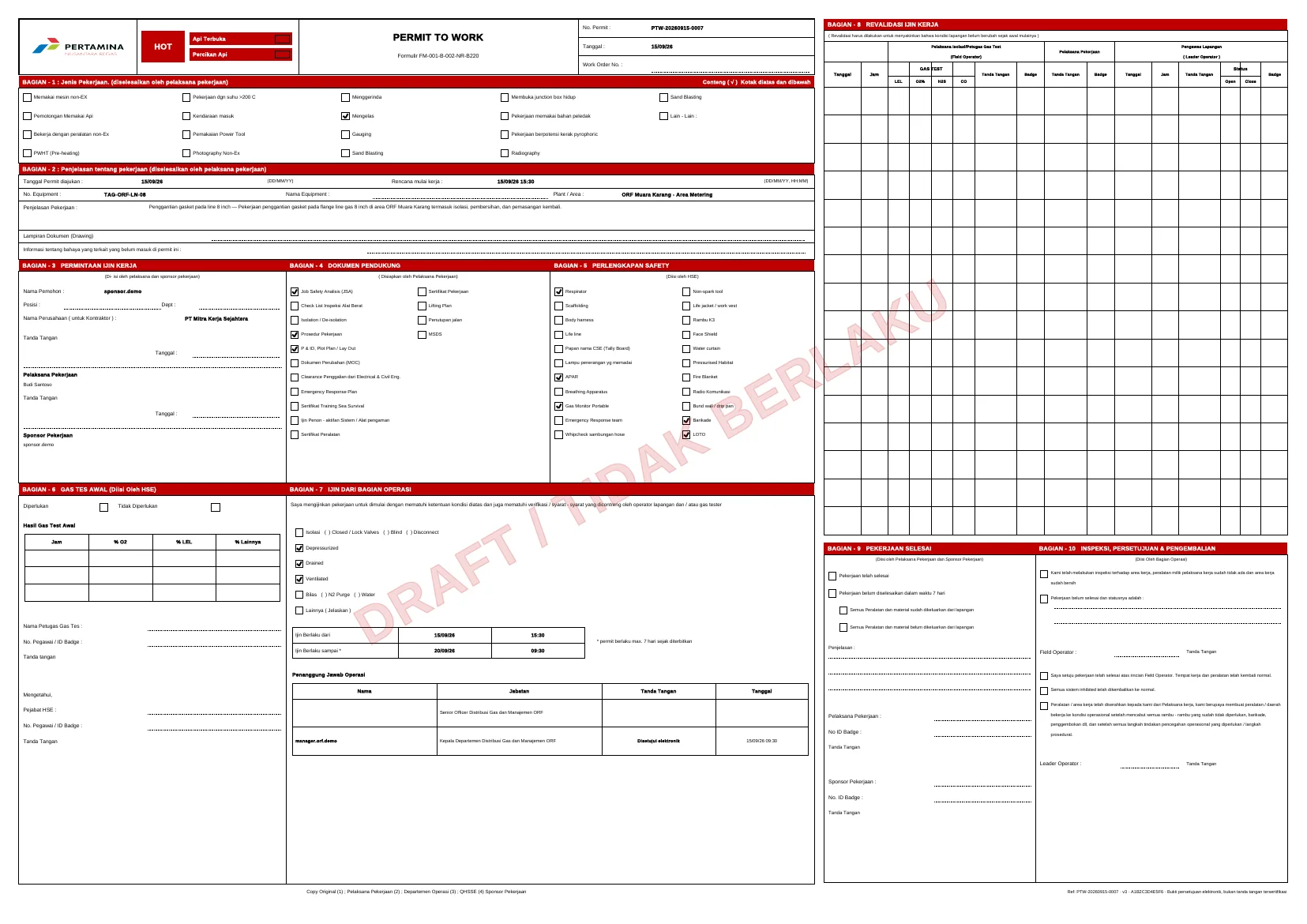
Permits to work at Nusantara Regas were paper forms: FM-001, FM-002 and FM-003 for hot work, cold work and confined-space entry. Every approval chain ran on hardcopy, permit numbers were assigned by hand, nobody could see which permits were live across the terminal, and a form that failed HSE validation went back and forth without a record. Field control still had to stay on the signed paper for compliance, so a pure digital replacement was not an option.
What I built
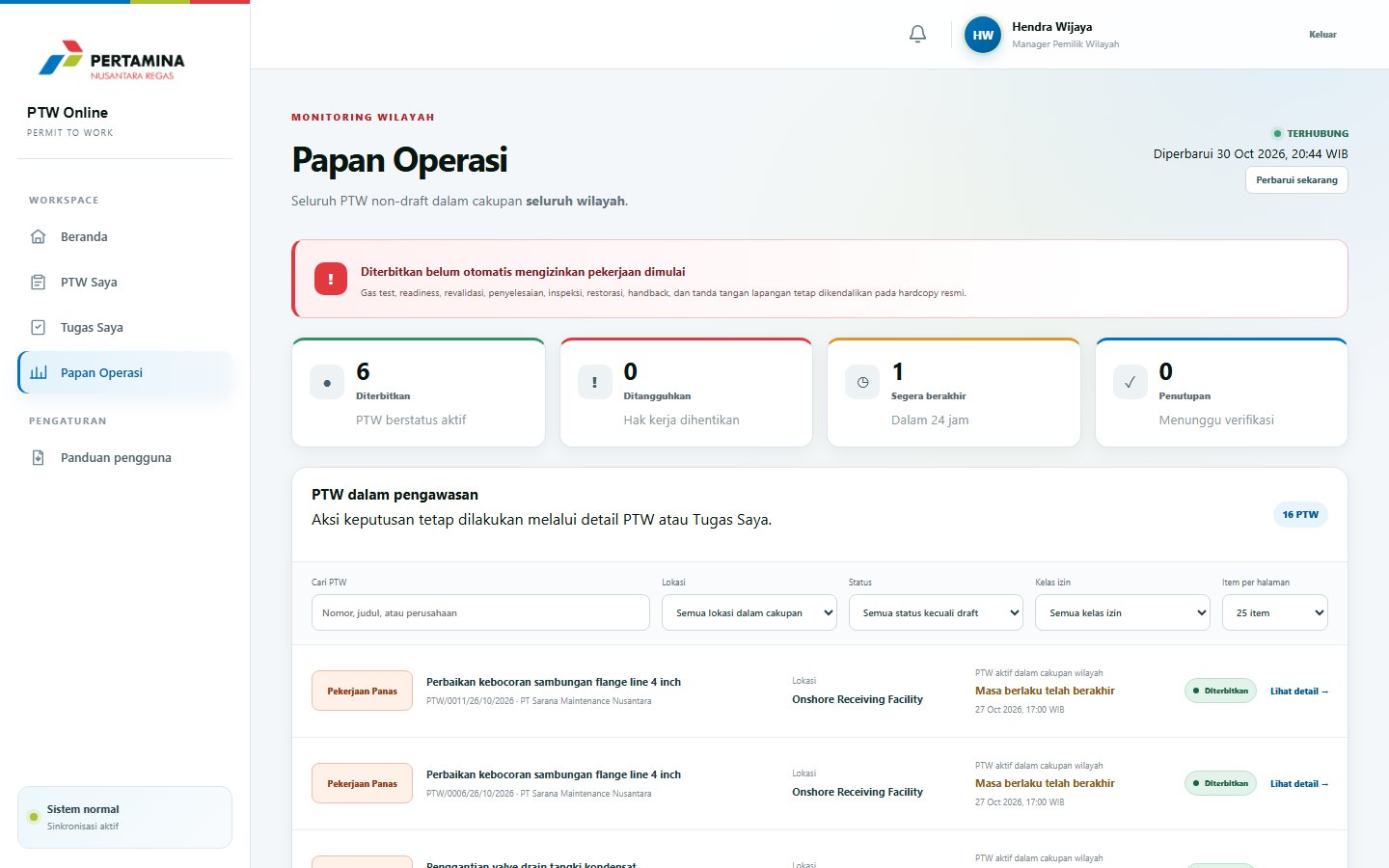
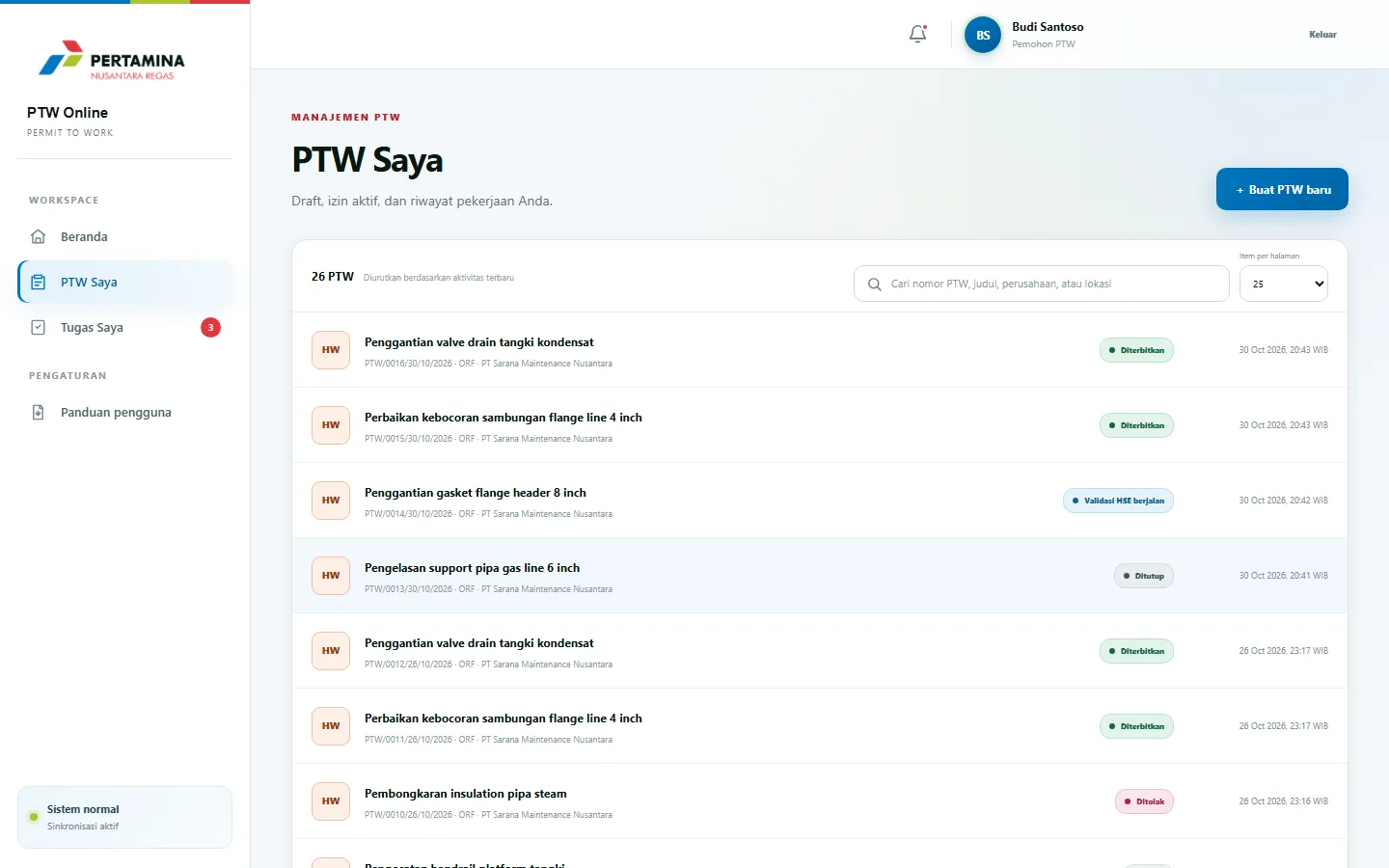
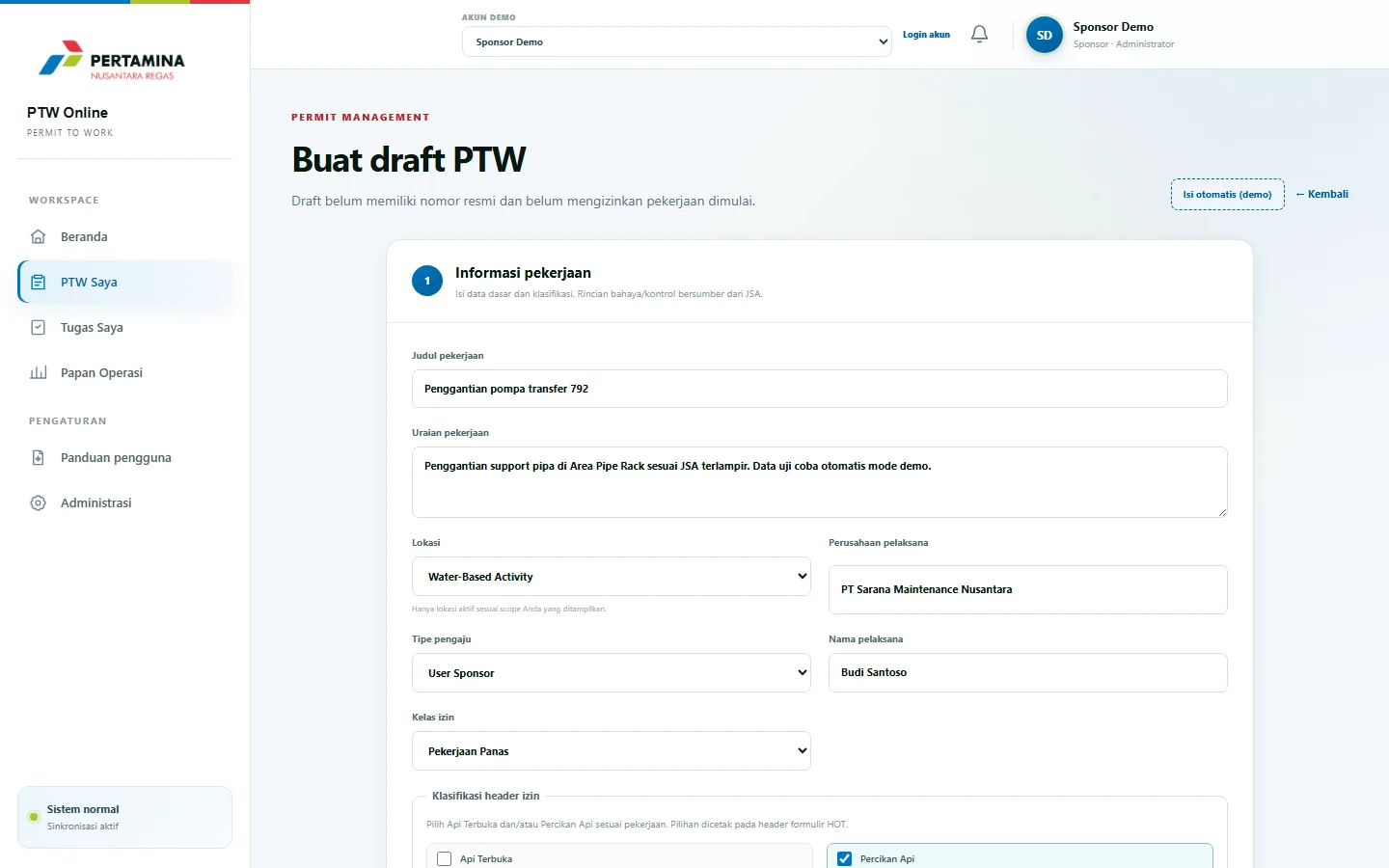
I designed and built NR PTW Online as a hybrid digital-to-paper system: a modular monolith on .NET 10 with an Angular 22 front end. The system owns the lifecycle from a requester's draft through sponsor approval, HSE validation, area-owner review of operating conditions, approval and issuance, suspension and resumption, renewal into a successor permit, and closure with digital verification. Every transition is a named command carrying an If-Match ETag and an Idempotency-Key; the aggregate, its task or decision, the audit event, the outbox message and the idempotency result commit in one transaction. A background worker renders the official print package from an immutable snapshot onto the controlled form as a vector template, with retry and backoff when rendering fails, and only READY packages count as official documents.
In use
Architecture
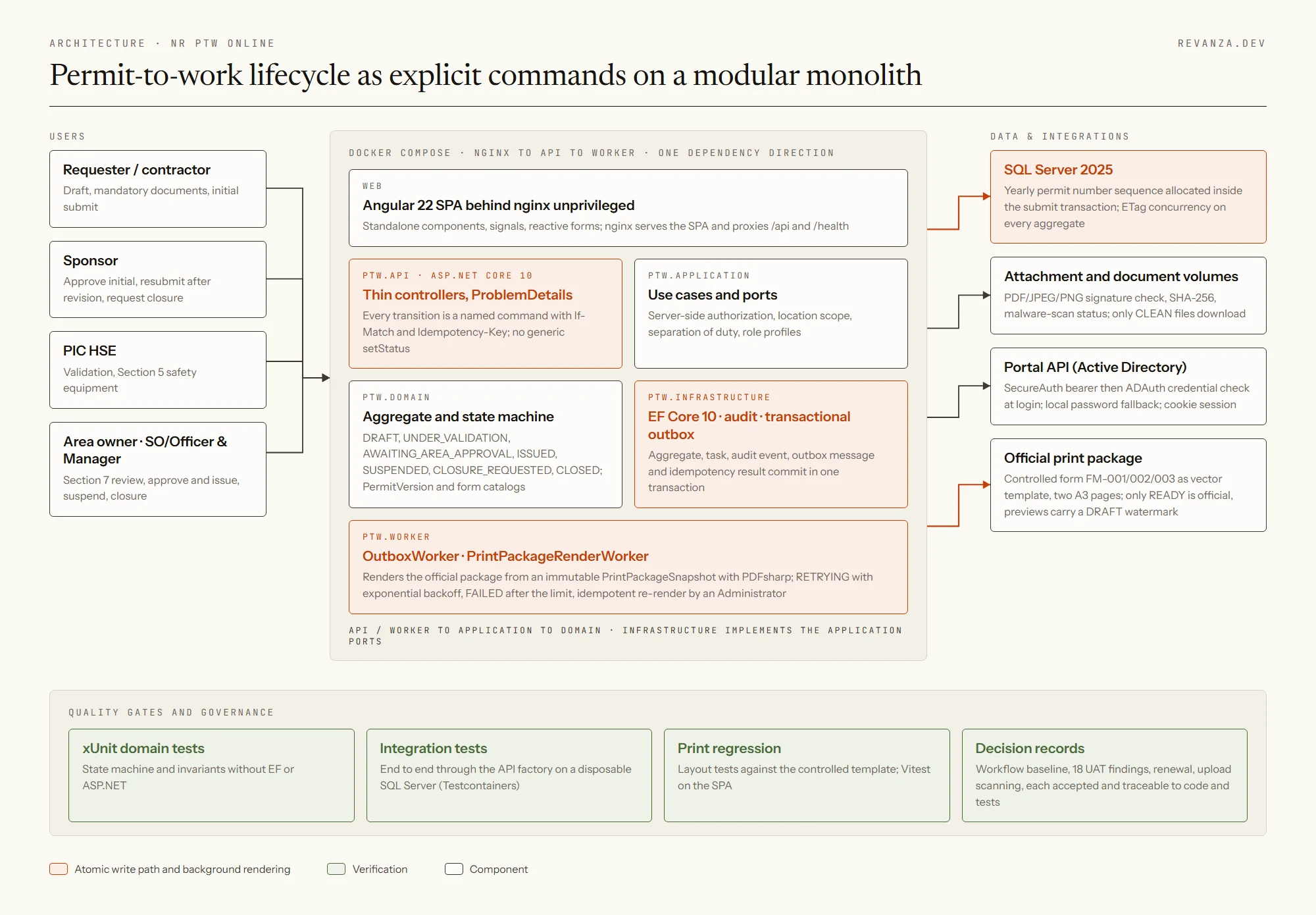
An Angular SPA behind nginx talks to a thin ASP.NET Core API. Use cases, authorization and location scope live in the Application layer, the state machine in the Domain, and EF Core with a transactional outbox in Infrastructure. A separate worker drains the outbox and renders print packages from immutable snapshots, and SQL Server allocates the yearly permit number inside the same transaction as the submit.
Open the image for full size
Proof
- 01 Domain state machine with eleven states and a PermitVersion rule under which only a resubmission after REVISION_REQUIRED raises the business version; concurrency is handled by ETags on every aggregate.
- 02 Separation of duty enforced server-side: a sponsor who is also PIC HSE may validate their own permit, but Section 7 review and issuance always need a different role, and delegated managers are recorded and printed as PJS.
- 03 Official permit numbers in the PTW/NNNN/DD/MM/YYYY format are allocated inside the submit transaction from a per-year sequence table, so concurrent submits produce no gaps or duplicates.
- 04 Attachments are checked for PDF, JPEG and PNG signatures, hashed with SHA-256, tied to an exact version and print package, and carry malware-scan evidence; anything not CLEAN cannot be downloaded.
- 05 Login verifies credentials against Active Directory through the corporate Portal API with a local password fallback, HTTP-only cookie sessions, per-address rate limiting and account lockout.
- 06 Quality gates: xUnit domain tests, integration tests through the API factory on a disposable SQL Server in Testcontainers, print-layout regression tests, Vitest on the SPA, and decision records for the workflow baseline and all 18 UAT findings.
Result
Users and stakeholders signed off the operational baseline on 25 September 2026, the UAT of 12 October 2026 closed its 18 findings within the following fortnight, and the user guide is generated from the running system with Playwright screenshots. Area owners now see every live, suspended and expiring permit on one board, while the signed hardcopy remains the field document.